
REVIEW · JAPAN RAIL PASSES AND AIRPORT TRANSFERS
Japan Unlimited WiFi Router – Narita Airport Pickup
Wi-Fi stress vanishes at Narita. For a simple arrival day, this rental sets you up with a 4G LTE hotspot you can grab right at the airport, then use through your trip. It is designed for getting Google Maps and messaging working fast when you land.
I like two things a lot: the pickup process tends to feel fast and easy, with the router ready when you reach the counter, and the kit includes the small extras that matter, like a power bank. One thing to keep in mind is the speed limit, high speed data is capped at 3GB per day, so heavy video use can run through your allowance quickly.
In This Review
- Key points to know before you go
- Why an unlimited-ish router makes Japan feel easier
- What you get with the Narita Wi-Fi router rental
- The Narita pickup, Terminal 1 or 2, outside security
- Setup and using it right away, no tech headache required
- How the 3GB per day high-speed cap changes your day
- Connecting multiple devices, and how to avoid overload
- Using it across Tokyo and beyond, without losing your bearings
- The one big caution from real-world issues: pickup expectations
- Value for money: is $15.85 worth it?
- Duration choices, so you do not overpay
- Return day matters, and timing is part of the deal
- Who this Narita Wi-Fi router rental is best for
- Should you book it?
- FAQ
- Where do I pick up and return the Wi-Fi router?
- Which Narita airport terminals are supported?
- How much data is included each day at high speed?
- How many devices can connect to the hotspot?
- What is included with the rental?
- Can I cancel for free?
Key points to know before you go
- Narita pickup at Terminal 1 or Terminal 2 helps you start using Wi-Fi right after landing
- 4G LTE connection for on-the-go navigation and apps
- 3GB per day high-speed limit, unlimited use in practice but speed can change after the cap
- Up to 10 devices are listed as supported (with another note mentioning up to 5 at once)
- Everything is in the box: router, USB cable, adapter, and power bank
- Counters are outside security, which makes return day simpler
Sorting the logistics. Passes and transfers we used
- Narita Airport (NRT) Private Transfer to Central Tokyo
★ 4.5 · 300 reviews - Private arrival Transfer from Narita Airport(NRT) to central Tokyo city
★ 4.5 · 128 reviews - Narita Airport(NRT): Private Transfer to Tokyo/Yokohama 1-9pax
★ 5.0 · 47 reviews - From Narita Airport: Private Layover or Transit Guided Tour
★ 4.8 · 29 reviews
Why an unlimited-ish router makes Japan feel easier

Japan is great, but the first hours after you land can be chaos. You are tired, luggage is rolling, and suddenly you are trying to find a train gate or a restaurant you saved on your phone. This Narita Wi-Fi router rental is built for that exact moment, with a pickup setup at the airport that gets your phone online quickly.
The value here is not that it is fancy. It is that it is practical. You avoid the classic problems, like downloading offline maps too late, running out of data, or trying to translate on a screen that will not load. When you have working Wi-Fi at arrival, you can plan your next step with confidence.
What you get with the Narita Wi-Fi router rental
You are not just buying access. You are getting the gear that makes it usable from day one. The rental includes a Wi-Fi router hotspot plus the cables and power essentials to run it in real life.
Here is what comes with you:
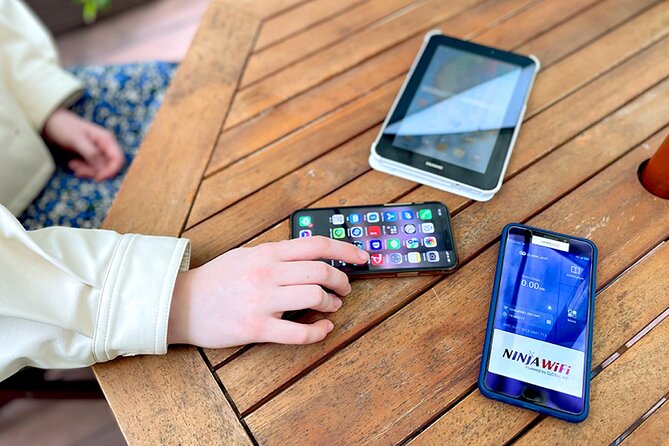
- Wi-Fi router hotspot
- USB cable
- Adapter
- Power bank
That power bank detail is genuinely helpful. It means you can keep your phone charged while you use the Wi-Fi device, which matters because you will likely be relying on maps and translations throughout the day.
Also note the device sharing claim. The main highlights say the hotspot can connect up to 10 devices. Another detail says it can connect up to 5 devices at once. Either way, it is clearly intended for group use, but you should expect better performance when you do not max it out with lots of simultaneous streaming.
The Narita pickup, Terminal 1 or 2, outside security
This rental is designed around a very specific convenience: Narita Airport pickup at either Terminal 1 or Terminal 2. The pickup and return counters are located outside airport security, and they are near public transportation.
Why you should care:
- Outside security means you can grab it without needing to pass through departure-style checkpoints first.
- Being near public transport means you can pick it up, get your phone connected, and move toward trains faster.
- A small maximum group size of 10 adds a little comfort. You are less likely to feel packed into a big cattle line.
In practical terms, plan to pick it up as soon as you arrive. If you wait, your day turns into a scramble to find Wi-Fi, charge devices, and confirm directions. Getting it early is what turns this into a smooth start.
- Airport transfer: Narita, Haneda (Tokyo), HND-NRT Airport shuttle★ 4.5 · 26 reviews
- 3 Day Japan Highlights Tour: Tokyo, Mt.Fuji, Nara, Kyoto, Osaka★ 5.0 · 22 reviews
- Private Transfer from Narita Airport to Yokohama Port and City★ 4.5 · 17 reviews
- Japan Unlimited WiFi Router – Narita Airport Pickup★ 3.5 · 15 reviews
- [Narita Airport Terminals 1, 2] 40-60km Sawara Itako Historic Bike Tour★ 5.0 · 13 reviews
Setup and using it right away, no tech headache required

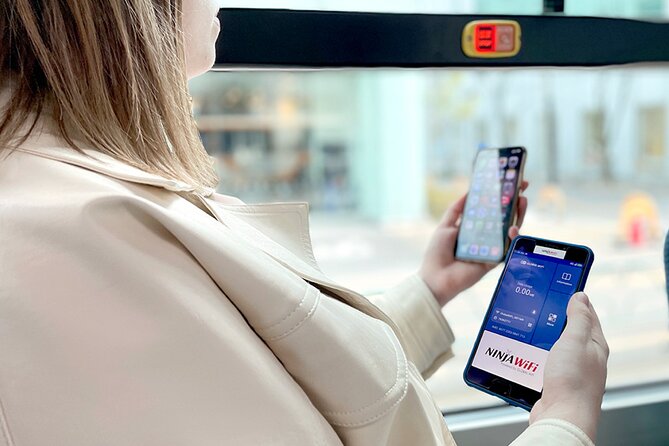
The promise is easy setup, and the best kind of Wi-Fi rental is the kind you can start using in minutes. After pickup, you connect your phone to the hotspot Wi-Fi, then you are ready for the typical stuff that makes travel feel manageable.
You should expect to use it for:
- Google Maps navigation
- Social apps like Facebook and Instagram
- Watching videos like YouTube
- General web browsing
That sounds simple, but it has real impact. When your maps are reliable, you waste less time and make fewer wrong turns. And when your translations and messages load quickly, you can deal with train changes and restaurant decisions without stress.
How the 3GB per day high-speed cap changes your day

Let’s talk about the one constraint that can matter: high speed data is limited to 3GB per day.
This is where people sometimes get surprised. The product is described as unlimited Wi-Fi, but the “unlimited” part does not always mean consistent high-speed performance after your daily cap. So the best approach is to use Wi-Fi like a traveler who wants it to last, not like someone streaming in 4K all day.
A smart way to think about it:
- For maps, messaging, and typical browsing, 3GB per day usually goes further than you expect.
- For heavy video watching, large downloads, or lots of social media, you can burn through the daily limit fast.
If your plan includes a lot of YouTube, expect you may need to manage your usage a bit, or switch to Wi-Fi when you are likely to be on the move anyway.
Connecting multiple devices, and how to avoid overload

The rental is marketed for multi-device use. The highlights say you can connect up to 10 devices. A separate note mentions up to 5 devices at once. Either way, this is meant for more than just one phone.
If you are traveling as a pair or family, this can be a big win. You do not need separate SIM plans or multiple devices fighting for one weak signal. You also avoid the “who has data now” problem when you want everyone to coordinate plans.
But here is the practical advice I would give you: do not assume the top device number will feel equally smooth. If you have many people trying to watch videos, update apps, and scroll constantly, performance can vary. A good rule is to connect everyone you need, then reduce streaming if you want the strongest experience.
Using it across Tokyo and beyond, without losing your bearings

Wi-Fi on arrival is not just about entertainment. It is about navigating. With this router, you can keep using online tools for directions, train connections, and general trip planning.
A key benefit is mental. When you can confirm where you are and where you are going, you stop guessing. And when you stop guessing, you explore more confidently. You are more likely to follow the smaller leads, the quick detours, and the spontaneous meals.
Also, you can make your first day calmer. You can check route changes, map walking times, and how transfers look before you step on the train. That is how travel feels smoother, even if you do not notice it at first.
One more small benefit: it makes it easier to coordinate with other people. If someone wants to meet at a station, you can both check the exact exit, not just rely on a vague landmark.
The one big caution from real-world issues: pickup expectations

One of the clear lessons from past hiccups is expectation mismatch. There was an issue where someone expected hotel delivery, but it did not happen, and they had trouble getting help.
So here is what you should do: treat this as an airport pickup rental. Double-check your pickup option and do not plan around hotel delivery unless it is explicitly part of your chosen setup.
If you like planning with fewer surprises, also keep your booking info handy when you head to the counter. The more you can do before you arrive, the less time you spend fumbling.
Value for money: is $15.85 worth it?
The price is $15.85 per person, and the duration options run from about 3 to 30 days. People often book in advance, around 20 days, which makes sense because you want the device secured before your dates are locked.
Is it worth it? For most first-time visitors, yes, if you care about getting online fast and staying online without thinking too hard.
Here is the value math you should consider:
- If you would otherwise pay for data, eSIM, or SIM hassles, this can simplify everything.
- If you use maps daily, you gain time. Time can be worth more than the device fee.
- The 3GB per day high-speed cap means you still need to be reasonable with video and big downloads.
If you barely use your phone and you already have great offline navigation, it might feel like overkill. If you rely on your phone for directions, translations, and coordination, the convenience usually wins.
Duration choices, so you do not overpay
Because the rental supports 3 to 30 days, you can match it to your trip length. That is a big deal for value. If you are only in Japan for a short stop, you should not pay for a long rental you will not use. If you are staying longer, renting for the right span saves you from doing complicated data resets mid-trip.
Also, longer trips increase the chance you will use Wi-Fi for more than maps. You will likely check reviews of places you find, stream some entertainment, upload photos, and keep messaging friends and family. In other words, the longer you go, the more that daily cap can become a management challenge, so pick a plan you can comfortably stick to.
Return day matters, and timing is part of the deal
The counters for pickup and return are outside security, near public transportation. That design is helpful because return day is rarely a relaxed day. You will probably be rushing to catch trains and head to the airport.
Try to return the router with enough cushion. Do not wait until the last minute. Even if the return process is simple, airports have a way of turning “quick” into “rushed.”
One more caution tied to refunds: refunds are not provided for not collecting the Wi-Fi router. So if your flight changes or you arrive late, you still want to make sure you can follow the pickup instructions for your device. This is one of those tiny details that can cost money if ignored.
Who this Narita Wi-Fi router rental is best for
This rental is a strong fit if you want a smooth arrival and you do not want to think about phone data much. It is especially useful if:
- You rely on Google Maps and online info for getting around
- You are traveling with multiple people who want Wi-Fi at the same time
- You want a single device to manage connectivity without separate plans
- You like having a power bank included, not added later
It might not be the best choice if:
- You rarely use your phone and rely mainly on offline tools
- You plan lots of heavy video streaming every day
- You expect hotel delivery, since this is an airport pickup model
Should you book it?
Book it if you want the simplest possible start at Narita and you expect to use your phone for navigation, messaging, and planning every day. The included router kit plus power bank gives you immediate usefulness, and the airport pickup at Terminal 1 or 2 keeps your arrival routine straightforward.
Skip it or consider another option if your phone use is very light, or if your trip includes lots of high-bandwidth streaming that could push you into the 3GB per day high-speed cap fast. Also, be strict about pickup expectations. This is not the type of rental to gamble on delivery surprises.
If you balance your usage and pick it up right after you land, this is the kind of small purchase that makes the rest of your trip feel easier.
FAQ
Where do I pick up and return the Wi-Fi router?
You pick it up and return it at counters located outside Narita Airport security, and they are near public transportation.
Which Narita airport terminals are supported?
Pickup is available at either Terminal 1 or Terminal 2.
How much data is included each day at high speed?
High speed data is limited to 3GB per day.
How many devices can connect to the hotspot?
The highlights state it can connect up to 10 devices, and another note says it can connect up to 5 devices at once.
What is included with the rental?
The rental includes the Wi-Fi router hotspot, a USB cable, an adapter, and a power bank.
Can I cancel for free?
Yes. You can cancel up to 24 hours in advance for a full refund.
Passes, Transfers, Logistics





Newest Narita write-ups from the Loving Japan desk




Japan Rail Passes and Airport Transfers, side by side.
 ★ 5.0Mt Fuji and Hakone 1-Day Bus Tour Return by Bullet TrainFrom $16326,383 reviews
 ★ 4.0Mt Fuji & Hakone Cruise, Drum Show Bullet Train 1 Day from TokyoFrom $1497,413 reviews
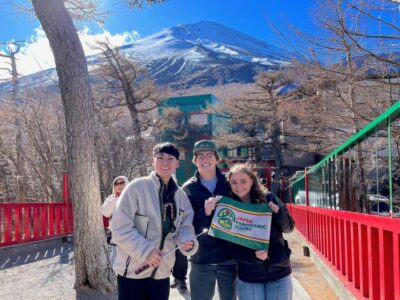 ★ 4.4Tokyo Mt Fuji 5th St & Hakone Cruise Bus Tour w/Bullet TrainFrom $1545,024 reviews
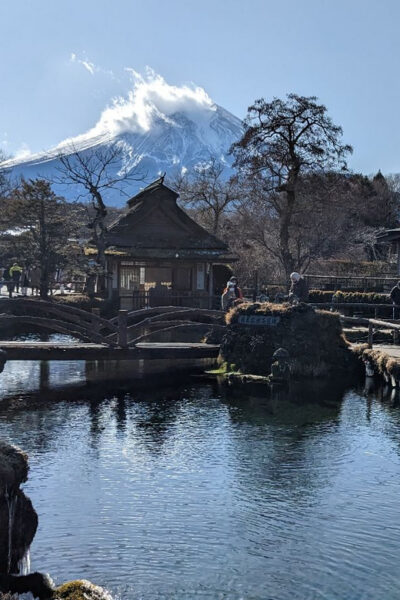 ★ 4.2From Tokyo: Mt. Fuji & Hakone Tour w/ Return by Bullet TrainFrom $1171,278 reviews
 ★ 4.7Osaka/Kyoto: Hiroshima Miyajima Bus Tour & Shinkansen TicketFrom $277919 reviews
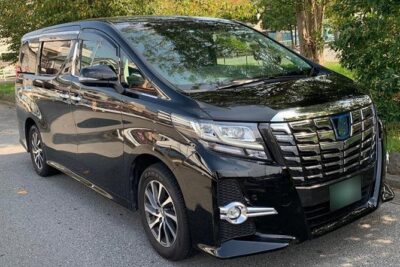 ★ 4.5Haneda Airport (HND) Private Transfer to Central TokyoFrom $104636 reviews
 ★ 4.0From Tokyo 1-Day Kyoto English-guided Tour by Bullet TrainFrom $452376 reviews
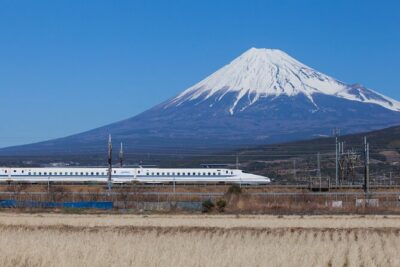 ★ 4.0Mt. Fuji and Hakone Day Trip From Tokyo with Bullet Train OptionFrom $97368 reviews
Filed on these lists too