

REVIEW · JAPAN RAIL PASSES AND AIRPORT TRANSFERS
Unlimited WiFi Router – Haneda Airport (Tokyo) Pickup
Landing in Japan feels calmer with instant Wi-Fi. This is an airport pickup for a 4G LTE unlimited router from NINIJA Wi-Fi, so you can start using maps and messaging the moment you land at Haneda. You collect it at set hours, then use it for days across Tokyo and beyond, with a kit that includes a power bank.
Two things I really like: first, the pickup experience is designed to be quick, with people walking up with their reservation info and getting online fast. Second, it is built for groups, since it can connect to up to 10 devices and includes a power bank to keep the router going.
One consideration before you commit: the description says unlimited, but high-speed data is limited to 3GB per day, and there are also mixed device-connect limits (up to 10 devices vs. another note of up to 5 at once). If you plan to stream a lot on multiple phones, you should manage expectations.
In This Review
- Key points to know before you go
- What you’re actually buying at Haneda: a stress-free data lifeline
- NINIJA Wi-Fi counter logistics: where to pick up, and how to find it fast
- Getting online right away: why the first setup matters
- Device limits and device count: the one detail you should not ignore
- 4G LTE unlimited Wi-Fi, plus the 3GB per day high-speed limit
- Using it around Tokyo: the practical benefit for planning and staying found
- Returning the router: same spot, and an easy after-hours plan
- Price and value: when $14.48 per person makes sense
- Who this Haneda Wi-Fi pickup is best for
- Should you book this Haneda Wi-Fi router pickup?
- FAQ
- Where do I pick up the unlimited Wi-Fi router at Haneda?
- What are the pickup hours?
- How do I find the NINIJA Wi-Fi pickup spot?
- How many devices can the router connect to?
- How long can I use the router?
- Is the data unlimited, and is it always high speed?
- What’s included in the router kit?
- What happens if I forget to collect the router?
- Can I cancel for a full refund?
Key points to know before you go

- Haneda Terminal 2 and Terminal 3 pickup: counters are outside security, so you can grab the router right after customs.
- NINJA Wi-Fi counter: look for the NINIJA Wi-Fi desk, including the Global WiFi x NINJA WiFi counter branding.
- Shareable hotspot: described as connecting to up to 10 devices, great for small travel groups.
- High-speed cap still matters: 3GB per day is the limit for high-speed data, even with unlimited usage.
- Return is simple but signage can be tricky: one key fix is that the return drop-off location is the same as pickup.
Sorting the logistics. Passes and transfers we used
- Mt Fuji and Hakone 1-Day Bus Tour Return by Bullet Train
★ 5.0 · 26,383 reviews - Mt Fuji & Hakone Cruise, Drum Show Bullet Train 1 Day from Tokyo
★ 4.0 · 7,413 reviews - Tokyo Mt Fuji 5th St & Hakone Cruise Bus Tour w/Bullet Train
★ 4.4 · 5,024 reviews - From Tokyo: Mt. Fuji & Hakone Tour w/ Return by Bullet Train
★ 4.2 · 1,278 reviews
What you’re actually buying at Haneda: a stress-free data lifeline
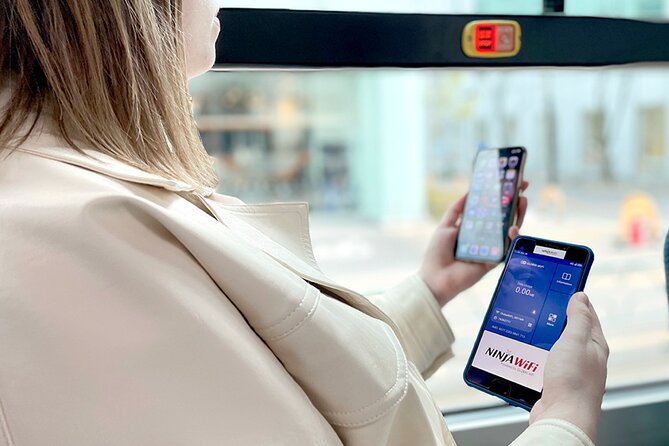
This is not a guided tour with sightseeing stops. It is a practical service: a mobile Wi-Fi router you pick up at Haneda Airport so you do not have to hunt for connections after landing. The promise is straightforward, get online quickly, use Google Maps, check social apps, and keep your plans moving without paper notes or guessing.
The value is biggest on the first day. Haneda can be confusing when you are tired and jet lagged, and directions are easier when you can open maps immediately. With this kind of setup, you can also handle travel basics faster, like rides, train changes, and looking up opening hours.
What makes it feel worth it is the “ready to go” kit. You get the router plus the items you need to power and carry it: a USB cable, adapter, a Wi-Fi pouch, and a power bank. The router is described as usable for a long rental window, and the experience itself is offered for a typical trip length range, while also being advertised as lasting up to 90 days.
If you are traveling solo, it can still be convenient. But if you have a small group, it becomes the smarter way to keep everyone connected with one device.
NINIJA Wi-Fi counter logistics: where to pick up, and how to find it fast
At Haneda, you will pick up at specific counters depending on the terminal. You will want to plan your airport walk so you do not waste time after you clear the arrivals area.
Here is what to look for:
- Terminal 3 pickup and return is at the 2F Arrivals Lobby at the Global WiFi x NINJA WiFi counter (listed hours: 06:30-23:45).
- Terminal 3 also has a return box at the same 2F Arrivals Lobby location labeled JAL ABC for 23:45-06:30.
- Terminal 2 pickup, return, and return box are at Terminal 2, 2F at the J WiFi & Mobile x Global WiFi counter (listed hours: 6:00-23:00).
A quick detail that matters: the counters are outside airport security. That means you can handle it immediately in arrivals without needing to go through the security process again. It is also near public transportation, which helps when you are heading onward right after pickup.
One small thing to keep in mind is visibility. A couple of people noted that the sign or business marker was not where they expected when they were trying to locate the counter. My practical advice is simple: as soon as you arrive at the right terminal level, stop moving and check where the arrivals desks are, then confirm you are heading toward the NINIJA Wi-Fi branded spot. If you can, bring a printed or saved copy of your reservation details so you are not digging on your phone at the worst moment.
Getting online right away: why the first setup matters
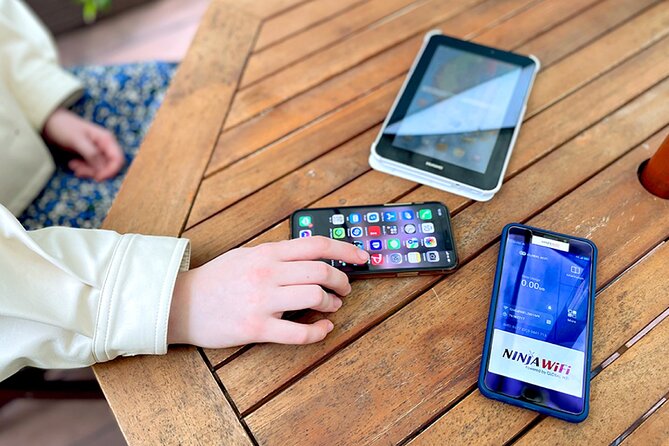
This kind of airport Wi-Fi works best when you test it immediately after pickup. You want the router running before you try to navigate the city. The big advantage is that you can start using the internet as soon as you land, rather than waiting until you find a connection later.
Your first “job” is to connect your devices to the hotspot and open a quick page or map. Since it is meant for multiple devices, you can usually get a phone, a tablet, or a second phone connected fast. That matters because travel often means one person navigating while the other handles reservations and messaging.
A real-world convenience noted by people using this setup is battery life and how it lets you function through the day. The power bank in the kit is there to back you up, but the router is described as having enough battery for a full day use for many situations. That reduces the “are we charging enough” stress that can ruin a travel morning.
Also, because it is a mobile router, it is designed to move with you. You are not stuck only at your hotel lobby. You can walk around, use maps outside, and keep your group coordinated.
- Mt Fuji and Hakone 1-Day Bus Tour Return by Bullet Train★ 5.0 · 26,383 reviews
- 1-Day Tokyo Bus Tour★ 5.0 · 14,250 reviews
- Tokyo: teamLab Planets TOKYO Digital Art Museum Entry Ticket★ 4.6 · 9,779 reviews
- Mt Fuji & Hakone Cruise, Drum Show Bullet Train 1 Day from Tokyo★ 4.0 · 7,413 reviews
- Tokyo Mt Fuji 5th St & Hakone Cruise Bus Tour w/Bullet Train★ 4.4 · 5,024 reviews
Device limits and device count: the one detail you should not ignore

The marketing has a bit of a contradiction worth flagging. One part of the description says you can connect to up to 10 devices. Another note says it can connect to up to 5 devices at once.
So what should you do? If you are traveling as a family or a group, plan to connect fewer devices than the maximum. If you have a group of six or seven, you may be fine, but if everyone expects to stream and browse simultaneously, you might get slower performance. In practice, people tend to use one phone for directions while others check messages, so you will often be operating below the worst-case scenario.
The key point is this: even if you can technically connect many devices, performance is still affected by how many devices are actively using data. If you have multiple people watching video or uploading photos constantly, the experience will feel less smooth.
4G LTE unlimited Wi-Fi, plus the 3GB per day high-speed limit

This is the heart of the decision. The router is advertised as unlimited usage on a 4G LTE connection, but you should understand the fine print: high speed is limited to 3GB per day.
That means you can still keep using the internet after you hit the cap, but the “fast” part may slow down. If your travel style is mostly maps, messaging, and light browsing, you can often get through a day without running into a problem. If your group is heavy on YouTube, constant photo uploads, or high-res streaming, you will likely feel the cap.
Here is how to manage it without turning your vacation into a spreadsheet:
- Use maps and messaging as your priority.
- For video, consider limiting long sessions during peak usage.
- If you are sharing one connection across multiple phones, be mindful of who is using data at the same time.
The upside is that you still have flexibility. You are not forced to find Wi-Fi at cafés every time you need a map update. You can keep moving, and you can still post and check what you need, even when you are away from hotels.
Using it around Tokyo: the practical benefit for planning and staying found

The biggest win is not the speed, it is the ability to stay oriented. When you have internet on demand, you can avoid the common Tokyo frustration of walking the wrong direction, missing an exit, or arriving somewhere with the wrong hours.
The router is described as letting you use Google Maps, social apps like Facebook and Instagram, and services like YouTube. People also specifically called out reliable connectivity for visits such as the Tokyo Disney parks, which is exactly the kind of day where phone reception can feel unpredictable and you do not want your navigation plan to wobble.
If you are doing a mix of neighborhoods, stations, and day trips, having stable internet helps you:
- confirm the next station stop and exit
- check transit updates when plans shift
- coordinate meeting points with your group
Also, because this is mobile, you can use it as your travel “hub.” One device can run the navigation app while another checks tickets or makes quick lookups. That is why shared Wi-Fi from the airport can be a better value than everyone buying their own data.
Returning the router: same spot, and an easy after-hours plan

Returning is part of the experience design. The good news is that the return process is set up at the airport arrival area. You are generally returning in the same zone you picked up, with terminal-specific hours and return options.
Here are the key details:
- Terminal 3 uses the 2F Arrivals Lobby return options, with a counter during the main listed hours and a return box during after-hours.
- Terminal 2 lists pickup and return at the same 2F counter area with return box availability within the listed window.
A practical tip that can save you stress: one person noted that a map of the drop-off area was confusing, but the fix was that you drop it off at the same place you picked it up. That sounds obvious, but when you are rushing, it is easy to second-guess yourself. So when you return, treat the pickup counter location as your primary target and match the terminal.
Price and value: when $14.48 per person makes sense

The price shown is $14.48 per person, and the booking is typically made about a few weeks to a month in advance. What that means in real terms is that this service is often chosen for a simple reason: it is easier and usually cheaper than everyone scrambling for their own workaround.
Value is strongest when:
- you have multiple devices in your group
- you will be out all day using maps
- your trip spans several days, so you keep the same connection throughout
It can be less of a deal if you only need internet on one phone for a short stay, or if you are comfortable relying on hotel Wi-Fi most of the time. But even then, the airport convenience is a real cost saver, because you avoid losing time after landing.
One more value angle: the operation is set with small maximum group size, which usually means the pickup process is less crowded and smoother when you arrive. You still should expect normal airport movement, but the service is not built like a massive herd.
Who this Haneda Wi-Fi pickup is best for
This fits best if you want to:
- start navigating right away after landing
- avoid buying multiple separate data solutions
- keep a group coordinated while moving through Tokyo
It is also a good match if you plan a mix of major sights and transit days, since having internet while you move is what reduces “direction anxiety.”
If you are someone who streams a lot of video on multiple devices, you should take the 3GB per day high-speed limit seriously and plan your usage. The “unlimited” part is helpful, but the daily speed cap is the thing that will affect your experience.
Should you book this Haneda Wi-Fi router pickup?
If your priority is an easy start to your Japan trip, I think this is a solid choice. The setup is designed for quick pickup at Haneda, the kit includes a power bank for day-long use, and it is made for groups with shared connectivity.
I would book it if you want internet immediately at arrival, and you are okay managing daily usage to respect the 3GB per day high-speed cap. I would hesitate if your trip depends on heavy streaming on several devices at once, since the connection limits and speed cap could make it feel less ideal.
FAQ
Where do I pick up the unlimited Wi-Fi router at Haneda?
Pickup is at counters outside airport security. Terminal 3 uses the 2F Arrivals Lobby counter labeled Global WiFi x NINJA WiFi. Terminal 2 uses the 2F counter labeled J WiFi & Mobile x Global WiFi.
What are the pickup hours?
Terminal 3 lists counter hours of 06:30-23:45, with a return box option for 23:45-06:30. Terminal 2 lists pickup and return hours of 6:00-23:00.
How do I find the NINIJA Wi-Fi pickup spot?
Look for the NINIJA Wi-Fi counter branding, including the Global WiFi x NINJA WiFi counter in Terminal 3 and the J WiFi & Mobile x Global WiFi counter in Terminal 2.
How many devices can the router connect to?
The information provided says it can connect to up to 10 devices, and another note says up to 5 devices at once. Plan to connect fewer devices if you want the smoothest performance.
How long can I use the router?
The rental experience is offered for about 3 to 30 days, and the service is also described as lasting up to 90 days.
Is the data unlimited, and is it always high speed?
It is advertised as unlimited usage on a 4G LTE connection, but high speed is limited to 3GB per day.
What’s included in the router kit?
You receive the Wi-Fi router, a USB cable, an adapter, a Wi-Fi pouch, and a power bank.
What happens if I forget to collect the router?
Refunds are not provided for not collecting the Wi-Fi router.
Can I cancel for a full refund?
Yes, you can cancel up to 24 hours in advance for a full refund. If you cancel less than 24 hours before the experience start time, the amount paid will not be refunded.
Passes, Transfers, Logistics





Newest Tokyo write-ups from the Loving Japan desk






Japan Rail Passes and Airport Transfers, side by side.
 ★ 5.0Mt Fuji and Hakone 1-Day Bus Tour Return by Bullet TrainFrom $16326,383 reviews
 ★ 4.0Mt Fuji & Hakone Cruise, Drum Show Bullet Train 1 Day from TokyoFrom $1497,413 reviews
 ★ 4.4Tokyo Mt Fuji 5th St & Hakone Cruise Bus Tour w/Bullet TrainFrom $1545,024 reviews
 ★ 4.2From Tokyo: Mt. Fuji & Hakone Tour w/ Return by Bullet TrainFrom $1171,278 reviews
 ★ 4.7Osaka/Kyoto: Hiroshima Miyajima Bus Tour & Shinkansen TicketFrom $277919 reviews
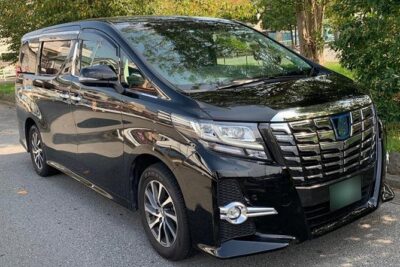 ★ 4.5Haneda Airport (HND) Private Transfer to Central TokyoFrom $104636 reviews
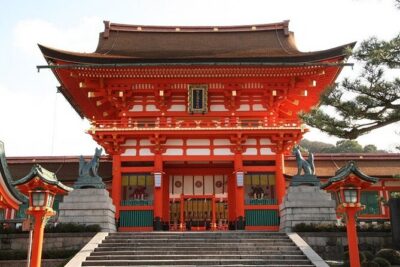 ★ 4.0From Tokyo 1-Day Kyoto English-guided Tour by Bullet TrainFrom $452376 reviews
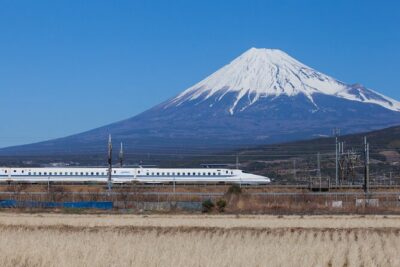 ★ 4.0Mt. Fuji and Hakone Day Trip From Tokyo with Bullet Train OptionFrom $97368 reviews
Filed on these lists too