
REVIEW · TOKYO MUSEUMS, GALLERIES AND TEAMLAB
Calligraphy & Digital Art Workshop in Kyoto
Two art styles, one Kyoto afternoon.
This hands-on class at Studio Aya pairs traditional brush practice with modern iPad creativity, so you end up with both the feel of Japanese ink and the fun of making etegami picture letters on a tablet. I like that the pacing gives you coaching time at the start, then a real break with tea and snacks, then a second chance to translate what you learned into digital artwork. I also like the instructor team led by Ami, who runs the studio and teaches in a way that makes new skills feel doable.
One thing to consider: this is not a sit-and-watch experience. You’re actively drawing, brushing, and tapping your iPad, so it’s best if you’re happy to get hands-on for about 1.5 hours starting at 3:00 pm.
In This Review
- Key things to know before you go
- Studio Aya setup in Kyoto, and why the iPad matters
- Traditional calligraphy or suibokuga, 30 minutes of brush control
- Tea break with Japanese snacks, and a pause that actually helps
- Etegami on iPad, making picture letters into postcards
- Q&A with Ami’s team, how to get the most out of the last 15 minutes
- How much structure you’ll get, and what it feels like to learn
- Who should book this Kyoto workshop, and who should skip it
- Price and value: is $72 worth it?
- Practical planning for a 3:00 pm start in Kyoto
- Should you book Studio Aya’s calligraphy and iPad etegami workshop?
- FAQ
- What is the duration of the Kyoto calligraphy and digital art workshop?
- What is included in the price?
- What is taught during the workshop?
- Where does the workshop start, and when?
- Is transportation included?
- Do I need to bring my own iPad?
- Is the workshop private?
- What is the cancellation policy?
Key things to know before you go
- Traditional brushwork first (calligraphy or suibokuga), then a shift to iPad art.
- Etegami picture-letter postcards are the creative bridge between old and new.
- Tea and Japanese snacks come during a scheduled break.
- Ami and her art team guide you through both sessions and answer questions at the end.
- You bring home a digital creation, made with the studio’s iPad.
- Private activity means it’s just your group, with a mobile ticket for smoother entry.
Indoors instead? Galleries and light rooms we visited
- Skip the lines Basic Ticket at SAMURAI NINJA MUSEUM KYOTO
★ 4.5 · 632 reviews - Kyoto : Geiko Maiko Dance of Kyoto & Visits of Gion Museum
★ 4.6 · 415 reviews - Kyoto: Samurai Ninja Museum guided tour
★ 4.8 · 145 reviews - Ninja Experience (Family Friendly) at Samurai Ninja Museum KYOTO
★ 4.5 · 132 reviews
Studio Aya setup in Kyoto, and why the iPad matters
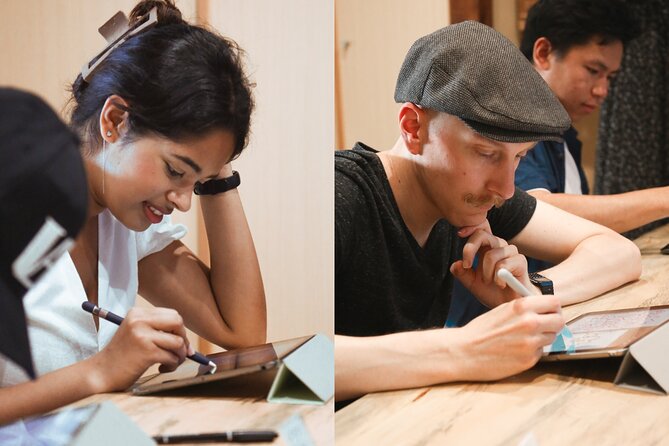
The workshop starts at iPadmate kids, 47 Daikokuyachō, Kamigyo Ward, Kyoto. It’s listed as near public transportation, so you can plan your day without committing to a private car. You’ll use a studio-provided iPad, which is a big deal in a hands-on class, because you don’t have to worry about device compatibility or settings.
The format is also smart for beginners. You’re not expected to be an artist before you arrive. Instead, you’re guided through the mindset and the mechanics, then you practice with the tools in front of you. In other words, you get structure, but also room to make something that looks like you.
Studio Aya is run by Ami and her team, and Ami’s background includes studying digital art in the UK and building a large creative YouTube community through amity_sensei. That matters here because the workshop doesn’t treat the iPad like a gimmick. It’s treated like a creative instrument, just like the brush.
Traditional calligraphy or suibokuga, 30 minutes of brush control
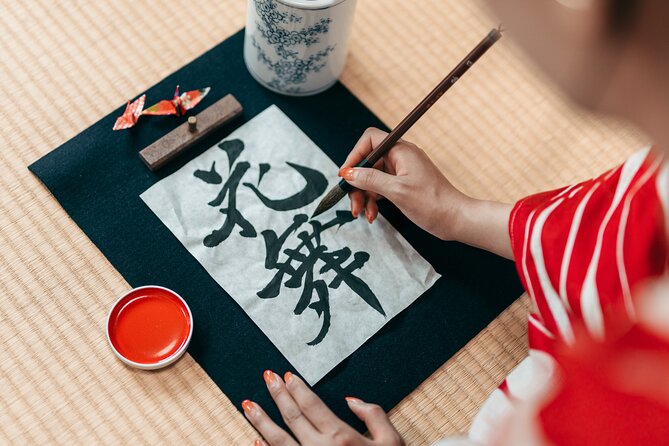
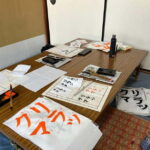
The first part is about 30 minutes of greetings and instruction focused on traditional Japanese calligraphy or suibokuga (Japanese ink painting). Your exact starting track may depend on how the class is structured that day, but the goal is consistent: you learn how the brush actually behaves and how to approach the strokes with care.
What I like about this stage is that it’s not just copying a sample and moving on. The teaching emphasizes improving brush stroke work and the Zen approach to calligraphy. That Zen angle is practical. It pushes you to slow down, focus on each stroke, and accept that your result comes from attention, not speed.
Even if you’ve never held a brush before, this part gives your digital session a foundation. You’ll be able to recognize which stroke styles you liked, what felt stable, and what was harder. Then when you transition to the iPad, you’re translating a real brush experience, not starting from zero.
Tea break with Japanese snacks, and a pause that actually helps
After the traditional segment, there’s a 15-minute break with free Japanese tea and snacks. This isn’t filler time. In an art workshop, your brain needs a reset, especially when the class switches from brush work to digital tools.
Use this break to do two simple things. First, take a breath and let your first session settle in. Second, think about what you want your picture-letter design to communicate, because that will shape your choices later.
The studio environment is described as ambient, which is a good match for calligraphy, where calm focus is part of the point. You’re not being rushed through the middle, and that makes it easier to enjoy the experience instead of racing to the finish.
Make something to take home. Other workshops
- Kyoto : Chopsticks Making Workshop in Gion with Engraving Option★ 5.0 · 958 reviews
- Authentic knife making experience at a blacksmith in Kyoto★ 4.8 · 350 reviews
- Kyoto: Calligraphy class at Buddhist temple in city center★ 5.0 · 167 reviews
- Roketsu dyeing experience: M course Roketsu Dyeing Experience★ 5.0 · 163 reviews
- Kyoto: Beginner Knife Sharpening & Handle Fitting Workshop★ 4.9 · 141 reviews
Etegami on iPad, making picture letters into postcards
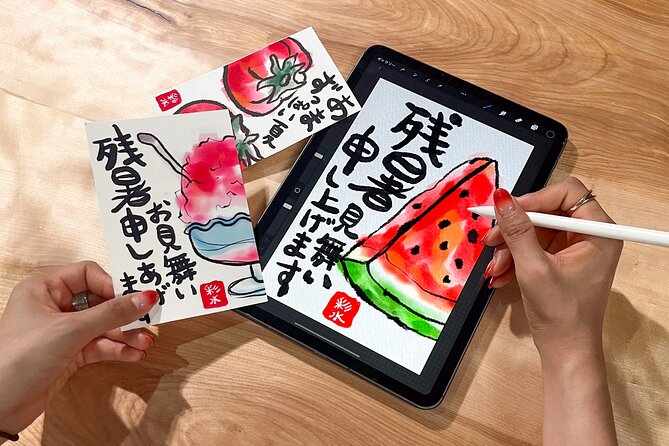
The heart of the modern part is the 30-minute digital art session. This is where you make etegami, Japanese picture letters, using the iPad. If you started with calligraphy or suibokuga earlier, you typically connect that style to your digital creation as well, including making calligraphy or suibokuga-style artwork on the tablet.
Etegami is the fun twist in the workshop. Instead of only drawing abstract characters, you’re combining imagery and letterforms in a postcard-like concept. That’s a great format for vacation memories because it’s personal but still guided.
You’re provided the iPad, so the tech side stays friction-free. The teaching focuses on how to create, not on troubleshooting. And because you’ve already practiced brush strokes in the first half, you’ll likely find yourself thinking in stroke shapes and rhythm, which is exactly what makes calligraphy feel like calligraphy instead of just text on a screen.
Also, the payoff is real. At the end, you’ve produced a digital piece that you can treat like a souvenir. You’ll leave with something you made, not just something you watched.
Q&A with Ami’s team, how to get the most out of the last 15 minutes
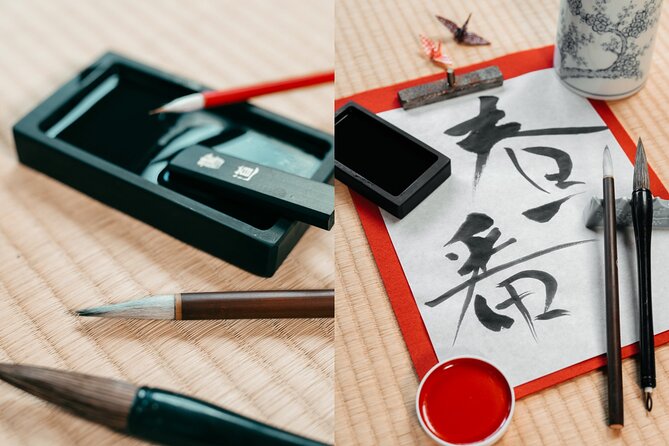
The final segment is 15 minutes of Q&A. This is the part I always recommend people use, even if you think your question will be small. In creative workshops, tiny fixes can make a big difference.
Here are practical things you can ask during Q&A, based on what the class emphasizes:
- How to improve specific brush stroke qualities you struggled with
- What Zen approach means in terms of how to pace your movements
- How to think about composition when you turn characters into etegami picture letters
- Tips for matching your traditional style choices to your digital results
Because the studio is led by Ami and her team of professional artists and creators, you’re not asking into a void. You can get feedback grounded in both traditional technique and digital creation. The guidance also helps if you’re traveling with someone else, since you can compare what you made and why.
How much structure you’ll get, and what it feels like to learn
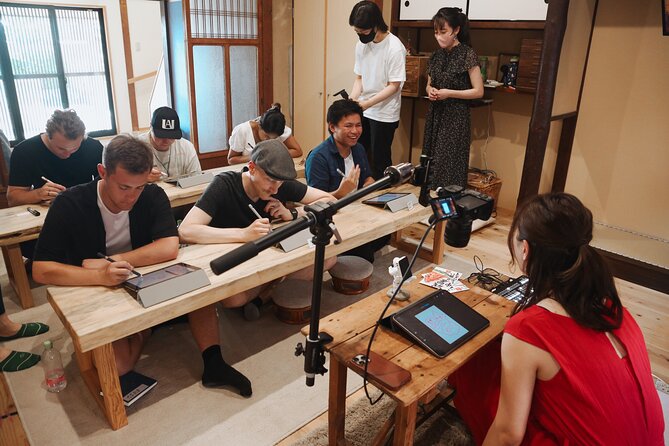
This workshop runs about 1 hour 30 minutes including the tea break. The timeline is rough, but it’s basically: traditional instruction, break, iPad creation, Q&A. That structure is a strength. It keeps you from getting overwhelmed.
It also creates a satisfying learning loop:
- Learn the basics with brush technique
- Reset during tea and snacks
- Apply what you learned to etegami in the digital session
That loop is why the workshop feels enjoyable for a range of ages. Reviews describe it as something families and pairs both enjoy, including kids who loved learning about kanji, writing characters on paper and iPad, and finally creating their own postcard through the etegami process.
If you’re traveling with friends, it’s a great shared activity. You can talk about what you chose for your picture letters and compare the look of your calligraphy styles. If you’re solo, it’s a friendly way to be part of a small group without needing conversation skills or advanced art knowledge.
Who should book this Kyoto workshop, and who should skip it
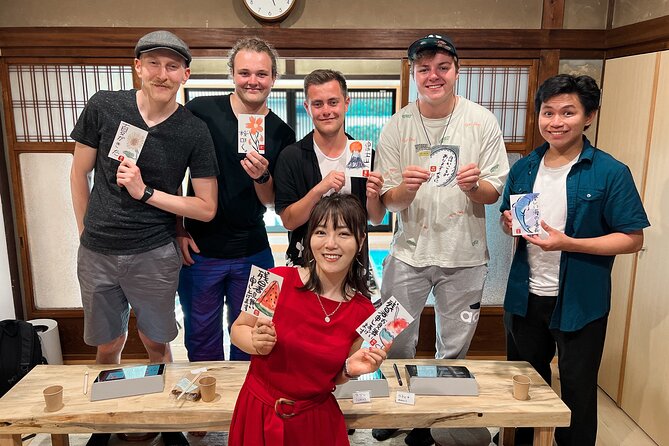
This workshop is a strong match if you want a Kyoto activity that mixes culture with modern creativity. It’s ideal for:
- People who like hands-on lessons more than museum wandering
- Beginners who want step-by-step guidance
- Calligraphy fans who also like iPad art
- Families looking for Japanese culture that gets kids actively involved
It’s less ideal if you’re mainly looking for sightseeing. You won’t be touring temples here. You’ll be making art, which is the whole point.
Also, while most people can participate, you should consider your comfort with small hand movements and focusing for about 90 minutes. The activity is structured, but it still asks you to draw.
Price and value: is $72 worth it?
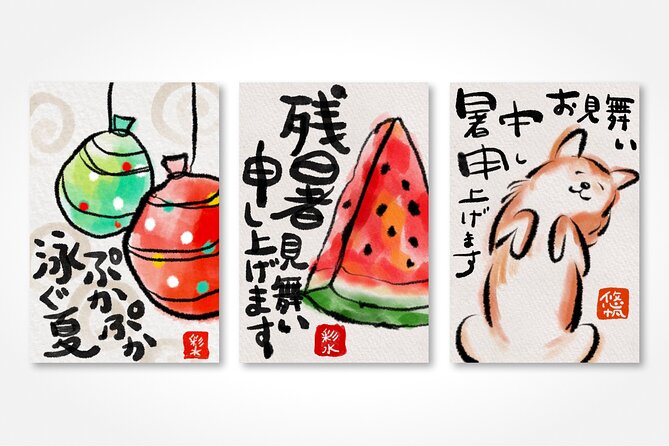
At $72, this workshop lands in the “reasonable lesson” zone for Kyoto. You’re paying for guided instruction in two formats: traditional brush work and iPad-based etegami. You also get a break with tea and Japanese snacks, plus the iPad is included.
Value comes from what you leave with. Many paid activities in cities are mostly about watching. Here, you actively learn and create something tied to Japanese calligraphy culture, then you transfer those ideas into a digital postcard-style artwork. That’s more memorable than a quick craft you assemble without real teaching.
It also helps that it’s a private activity for your group. Even without a stated group size, the private format reduces the feeling of being lost in a crowd. You can focus on your strokes and your iPad creation.
Practical planning for a 3:00 pm start in Kyoto
The start time is 3:00 pm, and the experience ends back at the meeting point. That makes it easy to slot into an afternoon between temple visits or a late lunch and evening plans.
Since the meeting point is in Kamigyo Ward at 47 Daikokuyachō, plan to arrive a bit early so you can get settled in the studio area. You’ll use a mobile ticket, so make sure it’s accessible on your phone before you head over.
If you’re trying to build a full Kyoto day, consider pairing this with something quieter. Calligraphy-style learning works best when you’re not rushing between locations. Your hands will feel it, and the calm studio break is part of the experience.
Should you book Studio Aya’s calligraphy and iPad etegami workshop?
Book it if you want a Kyoto cultural activity that’s genuinely active and not just sightseeing. The mix of traditional brush technique and iPad etegami picture letters is a smart way to experience Japanese art in both its classic and modern forms. If you like structured classes, tea breaks, and leaving with something you made, this is a great fit.
Skip it if you strongly prefer passive activities or you want a fast, low-effort experience. This workshop rewards attention and willingness to practice, even if your first strokes are imperfect.
If you’re on the fence, here’s my simple rule: if you’d enjoy learning how brush strokes translate into picture letters, you’ll be happy you booked this one. If you just want photos and walking, choose a different type of Kyoto plan.
FAQ
What is the duration of the Kyoto calligraphy and digital art workshop?
It runs for approximately 1 hour 30 minutes, including a break.
What is included in the price?
The price includes the iPad, plus Japanese snacks and tea.
What is taught during the workshop?
You learn traditional Japanese calligraphy or suibokuga, then create digital Japanese picture letters called etegami on an iPad.
Where does the workshop start, and when?
The start is at iPadmate kids, 47 Daikokuyachō, Kamigyo Ward, Kyoto, 602-8055, Japan, and the start time is 3:00 pm.
Is transportation included?
Private transportation is not included.
Do I need to bring my own iPad?
No, the iPad is included.
Is the workshop private?
Yes. It is a private tour or activity, so only your group participates.
What is the cancellation policy?
You can cancel for free up to 24 hours in advance for a full refund, and confirmations are received at booking.
Made by Hand, and Yours to Keep
Tokyo Indoors: Galleries and Light Rooms


Newest Kyoto write-ups from the Loving Japan desk



Tokyo Museums, Galleries and teamLab, side by side.
 ★ 4.6teamLab Planets TOKYO Digital Art Museum Entry TicketFrom $259,779 reviews
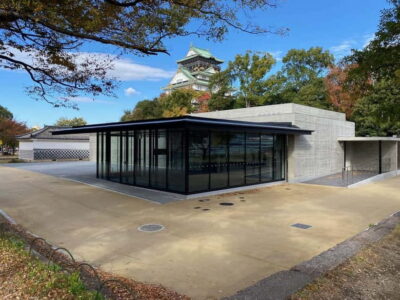 ★ 4.5Osaka Castle: Museum and Tower Entry TicketFrom $72,380 reviews
 ★ 4.5teamLab Botanical Garden Entry TicketFrom $111,710 reviews
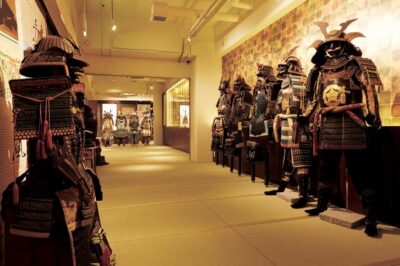 ★ 4.6Samurai Ninja Museum Guided tour and ExperienceFrom $271,010 reviews
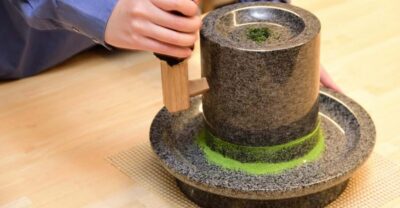 ★ 4.9Tea Museum Tickets and Matcha Grinding ExperienceFrom $23739 reviews
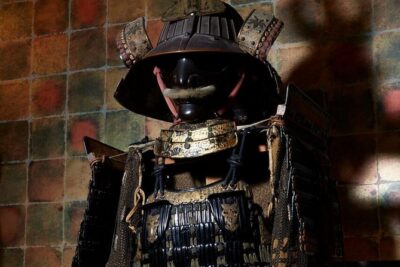 ★ 4.5Skip the lines Basic Ticket at SAMURAI NINJA MUSEUM KYOTOFrom $28632 reviews
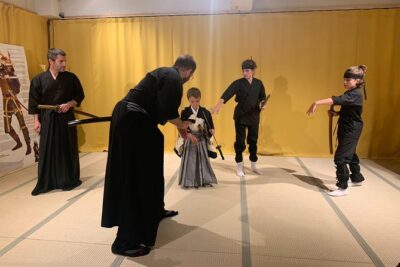 ★ 5.0Ninja Experience (Family Friendly) at Samurai Ninja Museum TOKYOFrom $47441 reviews
 ★ 4.5Tokyo Studio Ghibli Museum and Ghibli Film Appreciation TourFrom $193421 reviews
Filed on these lists too